

Over the past two weeks, I’ve noticed a huge shift in how developers work. We’re becoming orchestrators, guiding code assistants like Codex or Claude Code to build features and fix bugs.
If you haven’t seen it yet, it’s even possible to work on several features in parallel, on their own branches, without cloning the project multiple times.
Behind that workflow is a Git tool that’s often overlooked: git worktree.
I’ll walk through how this feature works so you can efficiently parallelize multiple tasks on the same project.
1. Understanding git worktree
The problem
In a traditional Git repository, you have:
- the source code in a working directory:
/Users/qlerebours/Projects/traveledmapfor example. - a checked-out branch:
feat/my-main-feature. - the
.gitfolder that contains the project history.
Switching branches changes the files in your current directory, so how do you take advantage of tools like Codex and Claude Code to work on multiple features in parallel?
One solution we can rule out is cloning the project into a second folder. The reason is simple:
cloning twice means two .git folders (which can be large), and the whole point of git worktree is to replace manual
clones.
What git worktree does
git worktree lets you attach multiple working directories to the same Git repository while keeping a single
shared history (.git).
For example, when I want to add missing form validations in parallel:
git worktree add ../traveledmap-fix-wording fix/add-form-validationsHere’s the state of the folders after running that command:
/Users/qlerebours/Projects/traveledmap/              (branch feat/my-main-feature)
/Users/qlerebours/Projects/traveledmap-fix-add-form-validations/      (branch fix/add-form-validations)
and the repository state:
- A single
.gitfolder in/Users/qlerebours/Projects/traveledmap/ - Shared history
- Each folder uses its own branch
- Independent files
- Commits visible instantly across all worktrees
This setup lets your code assistant work on two features in parallel.
How to use it: a concrete use case
Scenario
- I’m working on my main feature on branch
feat/my-main-feature - I want to fix a missing-validation issue reported by Product Owners
- Codex is used to update the wording and its translations (same workflow with Claude Code and others)
Make the changes
-
In Codex, I start a new conversation in my project and choose
Worktreeandfrom develop- Worktree: to work in parallel
- from develop: the base for my new branch

-
When I send my prompt, Codex announces it’s creating the worktree, which I can confirm with
git worktree list
-
When I go into the worktree folder (
/Users/qlerebours/.codex/worktrees/c6a5/traveledmap), I see the changes are done and ready to test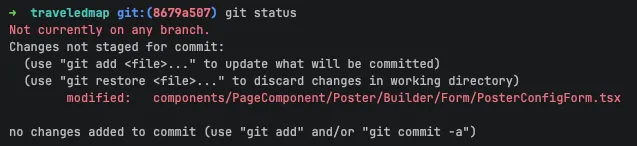
Test the changes
Here are the steps if you want to test the changes without pulling them locally. Otherwise, you can go straight to “Take back control”.
- Make sure you’re in the worktree folder
- Since this folder starts from the
developbranch, I need to set up what’s required, for example:cp .env.example .envpnpm i
- Then I just run the project with
pnpm run devto test and validate the changes - If new changes are needed, Codex will add them to the existing ones so you can test again
Take back control
If you want to take back control and make the changes yourself, you have several options:
-
Open the worktree folder in your preferred code editor and make the desired changes.
-
Use the “Hand off to local” button at the top right of the Codex conversation, which commits the changes to a branch you can pull locally.
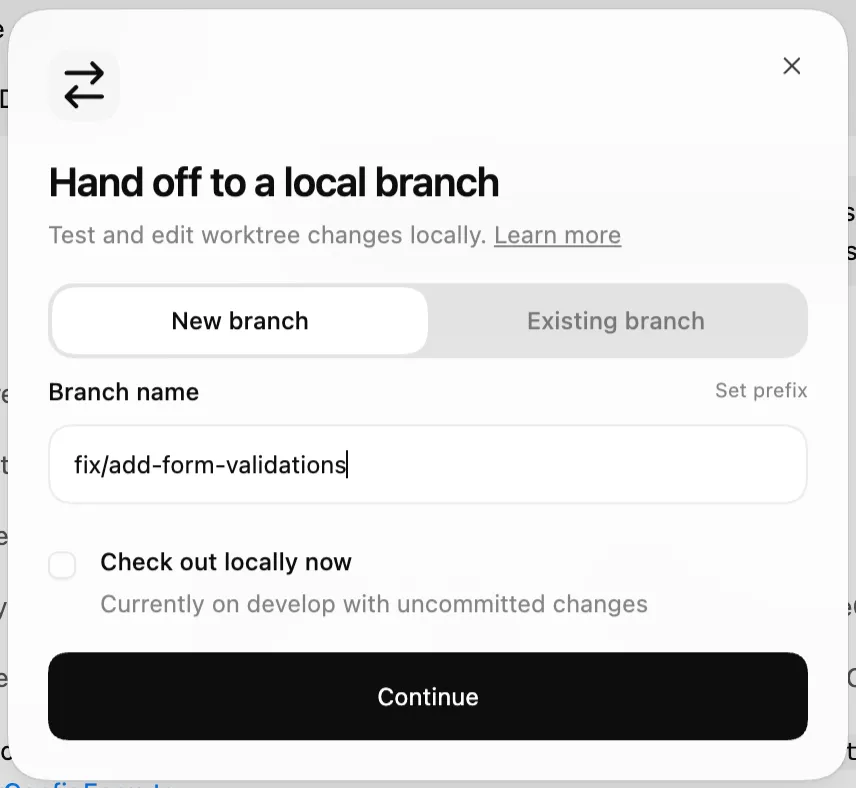
-
Use the new “Create a branch” button, which also creates a branch and pushes it if you want to open a PR directly. Either way, options 2 and 3 are effectively the same: they push changes to a branch you can pull locally or access on Github / Gitlab.
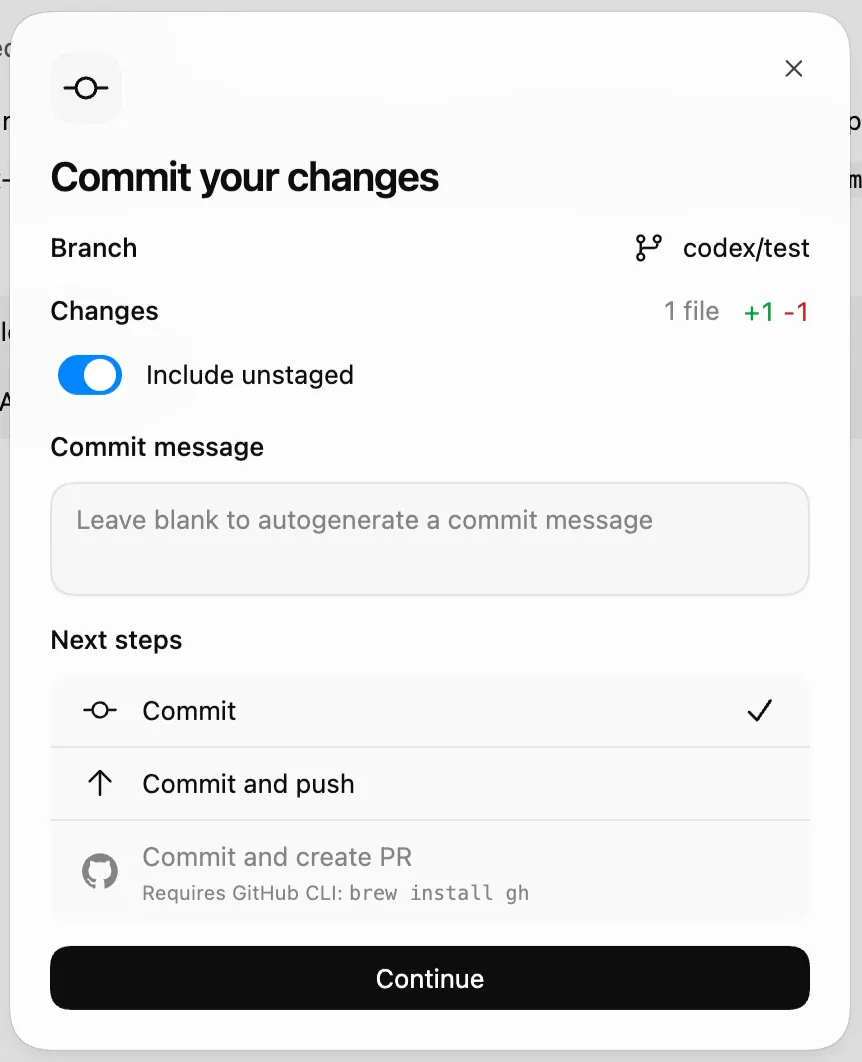
The full documentation for this part is available here for Codex.
Conclusion
Understanding git worktree now means understanding how to work efficiently with AI development assistants.
I hope this article is useful. Writing it helped me clarify things I didn’t fully grasp myself. If you have any questions, feel free to reach out by email or on LinkedIn.

About Quentin Lerebours
I’m an entrepreneur, but above all a developer. I’ve deliberately chosen to remain versatile so I can approach projects with a clear, cohesive overall vision. Development, sales, entrepreneurship, and project management are part of my daily life — and I wouldn’t have it any other way.